AI Agent Builder · Prototype · 2026
Know when to answer. Know when to hand over.
I designed how a contact centre builds, tests and launches an AI agent, around one question the agent faces in every conversation, which is whether it can finish the job or should pass it to a person.
- Context
- Setting up an AI agent is easy now. Getting value from one isn't, and contact centres are afraid to go live.
- Product
- A new Puzzel product joining conversation insights, knowledge and AI agents
- My role
- Product designer
- Team
- PM, design director, AI product director, AI trainer
- Year
- 2026
- Platform
- Web application
- Stage
- Growth stage: Seedling
AI in this project
I built the clickable prototype with Claude Code, alone at first and then with the PM, so the team could test ideas in a working product instead of static screens.
Impact
- A working prototype of the whole journey, from an empty account to a live agent, used to demo and test the product direction.
- Handover became a designed behaviour with its own rules, not a failure state.
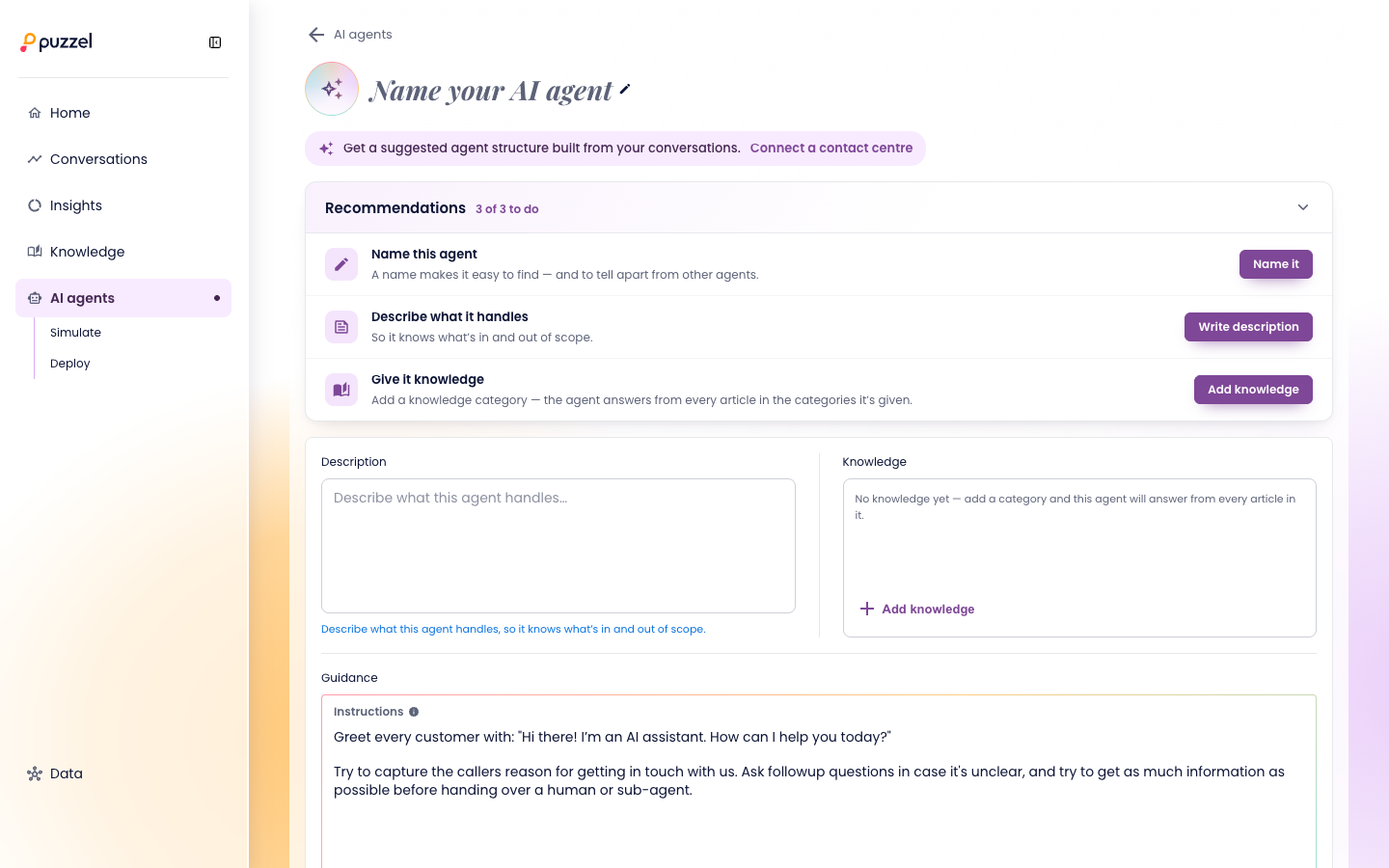
Contact-centre teams build agents to take on their customers' conversations
A contact centre answers a company's calls, chats and messages. More and more, an AI agent takes the first part of each conversation, answering what it can and passing the rest to a human agent.
The people who set those agents up aren't developers. They know their customers and their processes, and they need to decide what the agent handles, what it knows, what it's allowed to do and when it should step aside.
Building an agent is easy. Trusting it is the hard part.
Almost every contact centre is automating, but far fewer say it's going well. Teams are afraid to go live, because they can't see what the agent will do with real customers.
The reports they had didn't help them start. One customer agreed with an automation report grouped by topic, then asked where to begin, and fell back on its own assumptions. Another had a live bot with no clear scope, which answered requests like billing disputes without actually answering them.
Our analysis showed something bigger. Across three customers, general knowledge could fully answer under 2% of conversations. Most of what customers want needs the agent to look something up or take an action, so a builder focused on articles would miss most of the job.
Key decisions
A handover is a decision, not a failure
- Options considered
- Count every conversation with a knowledge gap as a handover, or only the ones the agent genuinely can't finish.
- Constraint
- Counting every gap made almost everything a handover, which tells a team nothing about what to fix first.
- What I chose and why
- A handover is a conversation the agent can't finish, either because it needs an action it has no tool for, or because the request is outside what it knows about. The prototype shows the effect directly, as knowledge without the matching tool sends handovers up, and adding the tool brings them back down.
- What I gave up
- A simpler count. Teams have to understand that a missing tool and missing knowledge are different problems.
The way back to a person can't be switched off
- Options considered
- Treat handover as one tool among many, or make it a fixed part of every agent.
- Constraint
- An agent with no way out traps the customer, and that's the failure teams fear most.
- What I chose and why
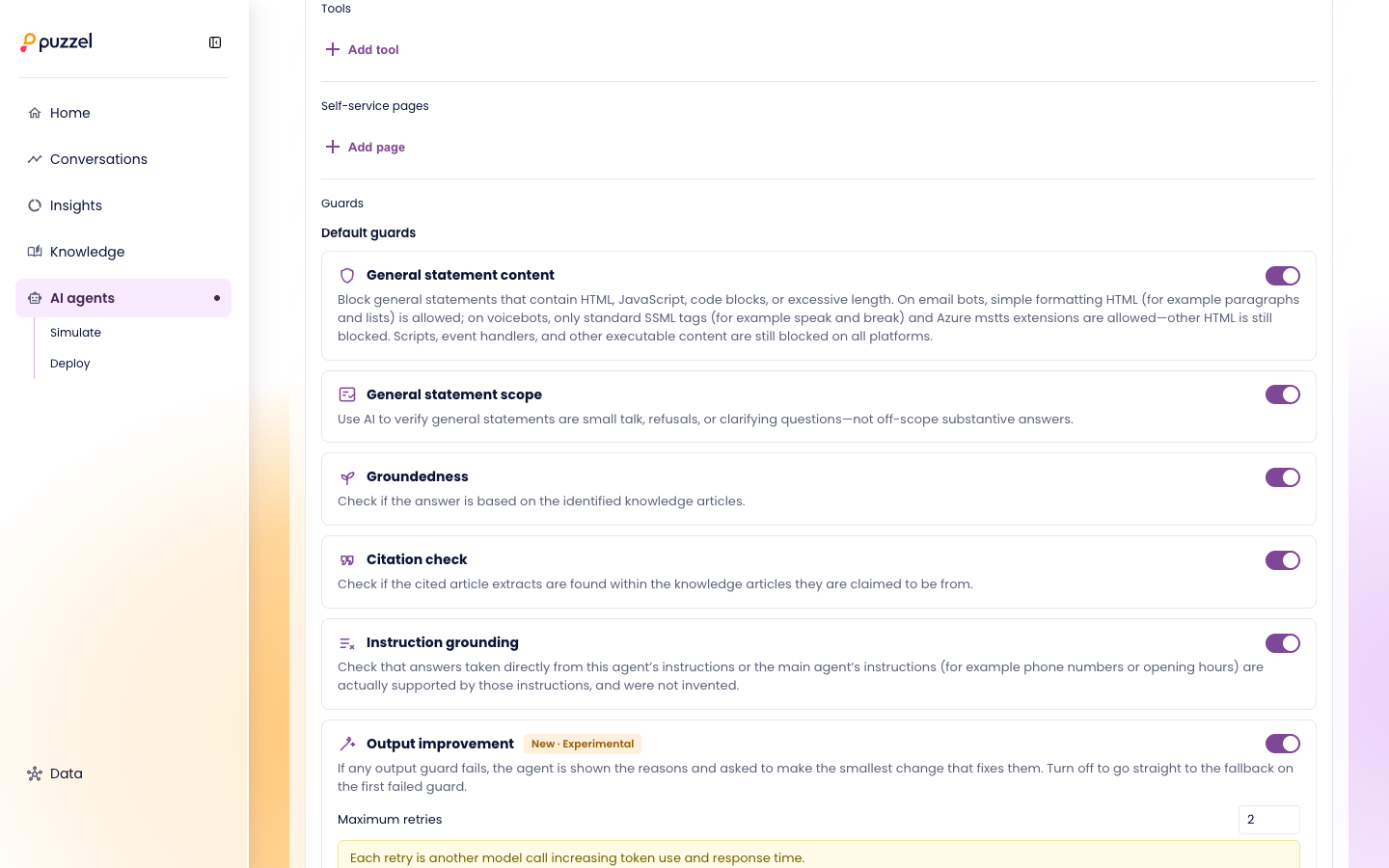
- Every agent has a required "Hand over to a human agent" tool that can't be removed, a default queue for handovers, and guards that check answers are grounded in the agent's knowledge and instructions. Requests outside the agent's scope go to a person.
- What I gave up
- Full control. Builders can't remove the handover, even if they're sure they don't need it.
Pass or fail, before anything goes live
- Options considered
- Grade each simulated conversation with nuanced verdicts like "answered from", "guided" and "handed over", or with pass and fail.
- Constraint
- The team didn't yet agree on what counts as a resolution, and nuanced verdicts invited arguments about labels instead of fixes.
- What I chose and why
- Pass or fail, plus which part of the agent failed, such as its guidance, guards or handover rules. Simulations replay real conversations through the whole agent, and nothing is written to real systems before launch.
- What I gave up
- Nuance. A pass doesn't say how well the agent did, only that it did the job.
Pause, not roll back
- Options considered
- Let teams roll back a deployment, or pause the agent.
- Constraint
- Rolling back an agent mid-conversation is hard to explain and harder to trust, and "un-deploy" meant nothing to the people using it.
- What I chose and why
- Deploy lists every change, then plays the agent's first live conversation so the team sees the result. If something looks wrong, pausing sends conversations straight back to the human team.
- What I gave up
- Undo. To fix a change, teams change the agent and deploy again.
Every route ends with a person
When the agent can't finish a conversation, it hands over to a human agent, with a default queue so nothing is dropped. Requests outside its scope go to a person instead of getting a confident wrong answer.
Guards check each answer before it's sent: that it's grounded in the agent's knowledge, that quoted details really come from its instructions, and that small talk stays small talk. If a guard fails, the agent can try a smaller fix, up to a set number of retries, before falling back.
Before launch, simulations show which conversations fail and why, and after a fix they show what's now fixed and what's newly failing. After launch, a team can pause the agent at any time, and its conversations go back to people.
From an empty account to a live agent, with the next step always visible
The prototype starts where a new customer starts, in an empty product. Connect conversations, and the product finds what customers ask about. Connect knowledge, and it shows what the agent can already answer. With conversations only, every intent starts as a gap.
Recommendations lead from Home to the agent to the exact part to fix. Knowledge for a gap can be drafted from the conversations behind it, and a person approves it before the agent uses it.
I built the first version of the prototype alone, then the PM and I developed it together, so ideas were tested as working software rather than described in documents.
A direction the team could test, not just discuss
The prototype runs the whole journey, from an empty account to a live agent. It's been used to demo the product direction and to work through behaviour that static screens couldn't show, like what happens to handovers when a tool is missing.
It's still a prototype, heading for customer pilots.
Why there are no hard numbers
It hasn't shipped, and the prototype's figures are made-up demo data, so I don't quote any. Next I'd measure how many teams go live, how long it takes them, and how handovers change after each fix.
Not everything I built belonged in the product
Early on, the PM said my prototypes had too much fidelity too soon. They were right. Detail made people react to the screens instead of the ideas, and we went back to building the first steps in rough variations.
Later I built a diagram of how conversations flowed between intents. It was accurate, and it was too much, so we took it out. The hard part of designing an AI agent isn't showing everything it does. It's showing the one thing a team needs to decide next.